What Is a Dataset-Analysis MCP?
An AI dataset analysis MCP is a Model Context Protocol server that lets an agent inspect, query, and visualize a dataset through bounded tool calls instead of loading the entire file into context. EVIDIQ Atlas is our AI dataset analysis MCP — a sibling to Sentinel, exposing profile, query, visualization, comparison, and research tools priced per call via x402.
Most agents we talk to in 2026 hit the same wall around week two. They discover a dataset — a parquet file, a public CSV, an export from a partner's API — and the obvious move is to fetch it, chunk it, embed it, and let the LLM reason over it. That's also the slow, expensive, lossy move. Atlas exists so the agent never has to do that, and so the human paying for tokens doesn't have to watch the bill climb for the privilege.
We built Atlas as a sibling to the EVIDIQ Sentinel docs. Sentinel answers "can I trust this agent?" Atlas answers "what's actually in this data?" Both ship as MCP tools, both ride x402, both share the same evidence and anchoring story. If you're new to the broader stack, the EVIDIQ docs are the right starting point.
Five Tools, Priced by Depth
Atlas exposes five paid tools and five free helpers. The free ones never cost anything; you can call them all day from any agent loop. The paid ones are tiered because the work behind them isn't symmetric — a profile is cheap, a full research pass is not. That's the whole pricing model: depth costs more, and the agent gets to choose how deep it needs to go on each call.
The five paid tools:
- profile_dataset — schema, row count, null rates, basic stats, type inference. Cheapest tier. Use this first, always.
- query_dataset — bounded SQL-like queries over the dataset, returning structured rows. Priced by query complexity, not row count.
- visualize_dataset — returns chart specs (vega-lite, plotly) and rendered artifacts. You get a chart, not a 4MB SVG string dropped into your context.
- compare_datasets — schema diffs, distribution drift, join-friendly key detection. Priced higher because it runs both sides.
- research_dataset — the deepest tool. Pulls metadata, lineage hints, public references, and a written summary. Most expensive per call, and worth it.
The free helpers, which your agent should call before any paid one:
- atlas_capabilities — returns the current tool catalog and live price list.
- validate_dataset_source — sanity-checks a URL or signed URI before you spend money on it.
- estimate_cost — given a proposed operation, returns the expected x402 price. No surprises, no guesswork.
- verify_atlas_report — re-hashes a prior report and recovers the EVIDIQ signer. Free, deterministic, runs locally.
- get_artifact — fetches a previously stored chart or table artifact by ID.
Why tiered? Because the math is simple. A schema profile is bounded work — read headers, sample rows, compute counts. A research pass might crawl references, reconcile lineage, and write a summary that the model then has to absorb. We priced them so an agent can burn budget on cheap profiles and only escalate when the cheap tool says "this is worth digging into." Pricing lives on the discovery endpoint at evidiq.dev/x402, so the agent can quote its own budget before each call.
Why an Agent Should Not Swallow a 2GB CSV
Here's the failure mode we kept seeing in late 2026 and early 2026. An agent gets a task like "summarize the Q1 sales anomalies in this export." The dataset is 2GB. The agent dutifully downloads it, slices it into chunks, embeds the chunks, and pushes them into context. Three things go wrong:
- Cost. Token spend on raw rows is brutal, and most of those rows are useless for the actual question being asked.
- Latency. Time-to-first-token balloons. By the time the model sees the full file, the user's patience is long gone.
- Lossiness. Chunking drops structure. You lose column relationships, type coercion errors, and the joins that make a CSV actually meaningful.
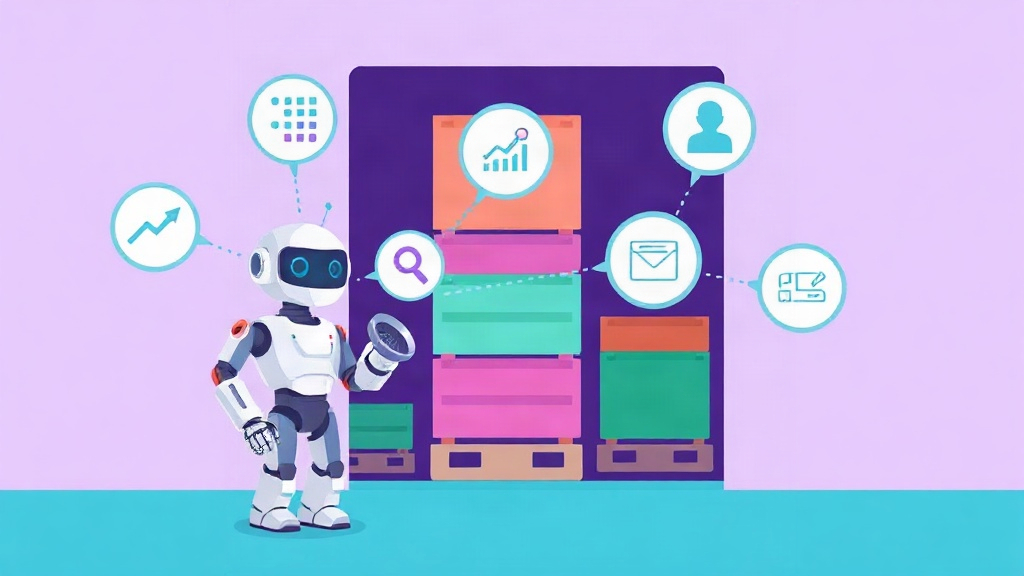
Atlas sidesteps all three. The agent calls profile_dataset first and gets back a structured profile — schema, null rates, top values, basic stats — sized in the low kilobytes. The agent now knows what the dataset actually contains. If the answer to "Q1 anomalies" lives in a specific column, the agent calls query_dataset with a bounded predicate and gets back only the rows that matter. If the user wants a chart, visualize_dataset returns a renderable artifact. The full pipeline costs a few x402 calls and never touches the 2GB.
A concrete profile_dataset response looks roughly like this — and yes, this is a real shape, not a marketing sketch:
{
  "dataset_id": "ds_2026_q1_sales",
  "rows": 1840233,
  "columns": [
    {"name": "order_id", "type": "string", "null_rate": 0.0},
    {"name": "region", "type": "categorical", "distinct": 7},
    {"name": "amount_usd", "type": "float", "min": -42.10, "max": 98234.55, "p95": 4120.0}
  ],
  "warnings": ["amount_usd contains 12 negative rows", "region has 0.3% NULL"]
}
That response fits comfortably in any model's context. The agent can ask a smart follow-up query instead of guessing. This is exactly what we mean when we say Atlas is an AI dataset analysis MCP: the model reasons over summaries, not raw rows, and the workflow stays bounded.
Verifiable Analysis, Not a Black Box
The question we hear most from agent builders is: "okay, but how do I know Atlas didn't make that up?" Fair question. We treat every Atlas report the same way we treat a Sentinel trust score — as evidence that can be independently re-checked, not as opaque model output you have to take on faith.
Every paid Atlas call produces:
- A canonical report — the JSON the agent receives, with a deterministic schema.
- A keccak256 hash of that canonical report.
- An anchor on 0G Storage (mainnet) that returns an on-chain transaction reference.
- An optional AI risk analysis run on 0G Compute inside a TEE, recording the provider address and request id.
- An EIP-191 signature from the EVIDIQ key over the hash.
Anyone — the agent, the agent's owner, an auditor — can re-fetch the evidence from 0G, re-hash it, and recover the signer. Our EVIDIQ Notary docs walk through the verification flow, and it's the same shape we use for Sentinel and Operator outputs. Nothing about the report is private or hidden — the hash and signature travel with the response.
This matters because "the model said so" is not an audit trail. "The model said so, here's the hash, here's the anchor, here's the signature, and here's the verification command" is. Atlas reports are tamper-evident by construction, and that property is the whole reason we run our own evidence pipeline instead of just returning LLM-generated prose. The signature is recoverable from the public EVIDIQ signer key, so verification needs no special access or account.
We also share the deterministic-scoring philosophy with the rest of EVIDIQ. Sentinel's trust score is identity*0.3 + capability*0.3 + reputation*0.2 + (100-risk)*0.2 — same inputs always produce the same score. Atlas reports follow the same principle: same dataset, same query, same tool, same answer. You can replay a call against a frozen dataset and you'll get the same hash. That's the audit story, and it's not optional.
For builders wiring Atlas into a larger agent graph, the EVIDIQ Operator docs cover how to compose Atlas calls with Sentinel verification on the same x402 settlement rail. The short version: the agent asks "is this dataset source trustworthy?" and "what's in this dataset?" in the same planning loop, pays once per call, and gets back evidence it can hand to a downstream auditor.