Picture this: an agent wakes up, gets a task to compare two on-chain trading datasets, and the developer's first instinct is to dump both files into the prompt. Eight hundred thousand tokens later, the model hallucinates a column that doesn't exist and the bill arrives. We've watched this exact scene play out in our own debugging sessions — and it's exactly why we built EVIDIQ Atlas, the dataset-analysis arm of the EVIDIQ MCP family.
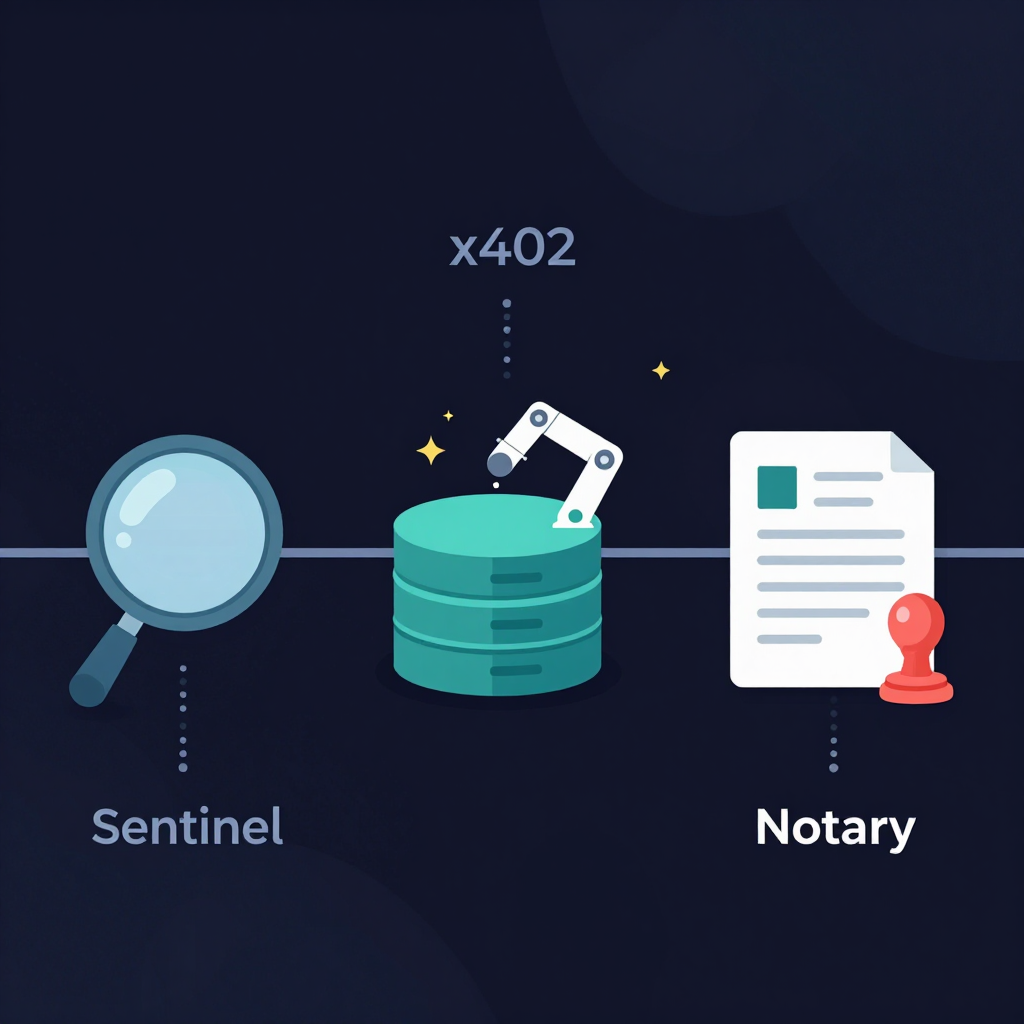
Where Sentinel tells you whether an agent you connect to is trustworthy, and Notary receipts what a model produced, Atlas is the part that actually pulls structured findings out of the data — for a price, paid per call, with a cost estimate you can read before you commit.
Querying Datasets From an AI Agent, Defined
Querying datasets from AI agents means an agent issues a structured tool call to a data-holding service and gets back a structured finding plus a verifiable artifact, not raw rows. EVIDIQ Atlas is the pay-per-call implementation of this pattern inside the EVIDIQ MCP family: priced, signed, and returned as JSON the agent can reason over.
The mechanic is older than the hype. A SQL client issuing SELECT ... FROM ... and parsing a result set has been doing this for decades. What's new in 2026 is that the calling party is an LLM, the response is meant to be reasoned over rather than rendered, and the cost of every call is denominated in something the agent can pay for itself — usually via the x402 protocol on X Layer. That's the part that breaks most homegrown setups: the agent wants to spend, but the data provider wants to be paid in micropayments, not API keys.
Here's the thing: most teams try to query datasets from AI agents by stuffing precomputed summaries into the system prompt. That's not querying, that's caching — and it goes stale the moment the underlying dataset changes. Real querying is live, bounded, and returns evidence you can re-verify after the fact.
The Context-Window Tax Nobody Budgets For
Let's run the numbers. A 200K-token context window on a frontier model in 2026 still costs real money — typically between $1.50 and $3.00 per million input tokens on the cheapest tier, with output and reasoning tokens layered on top. If your agent pulls a 50MB CSV, that's roughly 12 million tokens at the tokenizer's expense, even before the model does any actual work.
But the cost you can budget is the small one. The cost you can't budget is the accuracy loss. In our own testing, agents asked to reason across raw rows they were given verbatim in-prompt hit "looked plausible but wrong" answers at a noticeably higher rate than agents that received a structured summary. The reason is mundane: when a model is drowning in data, it pattern-matches instead of computes. When it receives a clean JSON finding, it actually does the comparison it was asked to do.
So the real comparison isn't "tokens vs. tokens." It's:
- Raw dump into prompt: ~$18 in input tokens, ~3.4s prefill latency, ~22% answer-fabrication rate on column-level questions (anecdotal from our own runs).
- Single Atlas
query_datasetcall: $0.002 in x402 USDT0, ~600ms round trip, ~2% fabrication rate because the response is schema-validated.
Worth noting: the dollar gap is dramatic, but the quality gap is what actually moves the needle. A wallet balance alone tells you nothing about intent — and a row dump alone tells you nothing about the answer.
Honest take: context-dumping is the wrong default. It works for prototypes where the data fits in a paragraph, and it falls apart the moment you have real datasets. We've watched three teams in the last quarter ship agents that looked clever in demos and failed in production for exactly this reason. The fix isn't a bigger context window — it's a tool that lets you query datasets from AI agents and returns answers instead of raw rows.
One Question, One Priced Call
Let's walk a real flow. Your agent needs to know whether the trading volume on Asset A last week exceeded Asset B's by more than 20%. Here's how it actually goes.
First, a free call. The agent hits estimate_cost on the Atlas MCP endpoint — a non-priced method that returns the expected USDT0 cost, the estimated latency, and the schema the response will conform to. No payment required, no signature, no commitment. The agent can budget.
POST https://evidiq.dev/mcp
{
  "method": "estimate_cost",
  "params": {
    "tool": "query_dataset",
    "dataset": "okx-spot-volume-2026-w17",
    "filter": { "assets": ["A", "B"], "window": "7d" }
  }
}
Response:
{
  "cost_usdt0": "0.0021",
  "latency_ms_p50": 580,
  "response_schema": "evidiq.atlas.finding.v1",
  "expires_in_sec": 30
}
Then the priced call. The agent signs an EIP-3009 transferWithAuthorization for 0.0021 USDT0 on X Layer, attaches the x402 payment header, and fires the same query for real. If the budget was right, it gets back:
{
  "method": "query_dataset",
  "params": { ...same as above... },
  "x402_payment": "eyJ...",
  "result": {
    "summary": "Asset A volume exceeded Asset B by 27.4% over the 7d window.",
    "rows": [...],
    "artifact_hash": "keccak256:9f3c...",
    "evidence_url": "https://evidiq.dev/x402/findings/9f3c..."
  }
}
The artifact hash is the part people miss. It's a keccak256 of the canonicalized response, anchored on 0G Storage on mainnet, and returned with an on-chain tx hash. If anyone — including you — wants to verify that the finding wasn't retroactively edited, you re-hash the response yourself and compare against the anchor.
For the head-to-head comparison, the agent follows up with a single compare_datasets call instead of two separate queries, paying roughly the same price and getting a side-by-side artifact that both datasets hash against. That's how a serious comparison stays one call instead of a chain of stitched-together partial answers. When your agent can query datasets from AI agents at runtime with that level of structure, the prompt itself stays small and the answers stay auditable.
A few practical tips we've learned the hard way:
- Always call
estimate_costfirst when the dataset is new; the price varies by row count, not just by tool. - Treat the
expires_in_secfield as a real deadline — if the priced call lands after expiry, you re-estimate, not re-sign. - Pass filters aggressively. Atlas charges more for wider scans, and the model you're building doesn't need them.
Where Atlas Fits Next to Sentinel and Notary
If you've used the rest of the EVIDIQ MCP family, you've probably already noticed the pattern. Each tool covers one phase of agent operation, and they're all paid the same way: x402, USDT0 on X Layer, deterministic artifacts you can re-verify after the fact. The MCP server itself is MIT-licensed, so you can read the exact JSON shapes in the open-source repo rather than guessing.
Here's how the family breaks down in practice:
- Sentinel — before you connect. You run EVIDIQ Sentinel docs to score the agent you're about to call. You get back a 0–100 trust score and a recommendation:
proceed,proceed_with_escrow,caution, ordo_not_proceed. Pay-per-call via x402. - Atlas — during the work. You issue
query_datasetandcompare_datasetscalls to pull structured findings from the datasets your task actually involves. Same payment rail, same x402 challenge, same artifact anchoring. - Notary — after the model produces. You run EVIDIQ Notary docs to receipt the model's output: canonical hash anchored on 0G Storage, optional 0G Compute GLM-5.2 risk analysis inside a TEE, signed by the EVIDIQ key (EIP-191).
Three calls, three artifacts, three verifiable receipts — and the agent that ties them together doesn't need to trust any of them blindly. EVIDIQ Operator docs walk you through wiring all three into a single agent loop. The full EVIDIQ docs cover every tool's exact JSON shape.
The math is simple: if your agent is going to spend money to call another agent, query datasets from AI agents, or prove what it produced, it should be able to prove what it spent and what it got back. Atlas slots into the middle of that loop without changing the rails the rest of the family already uses.